
From a scan to a verified fix
A scan found a missing description on a demo article. We added the description in Filament, scanned again, and generated a report showing the fix.
These are captures from a running local Merchant demo on September 9, 2026. The content is seeded sample data; both scans and the report were generated for this walkthrough. No historical trend was prefilled. The app uses Laravel 12 and Filament 4, with Rankbeam's core, free editor and Pro engine.
Download the sample report (PDF)
This redesigned companion summarizes the recorded scan and report evidence. It is not the default Pro PDF layout.
Scan the registered pages
After installing Pro and registering scan targets, run:
php artisan seo-pro:scan --syncThe demo registers 18 content records and three routes. This first scan completed all 21 targets with no failures and found 20 issues: six warnings and 14 notices.
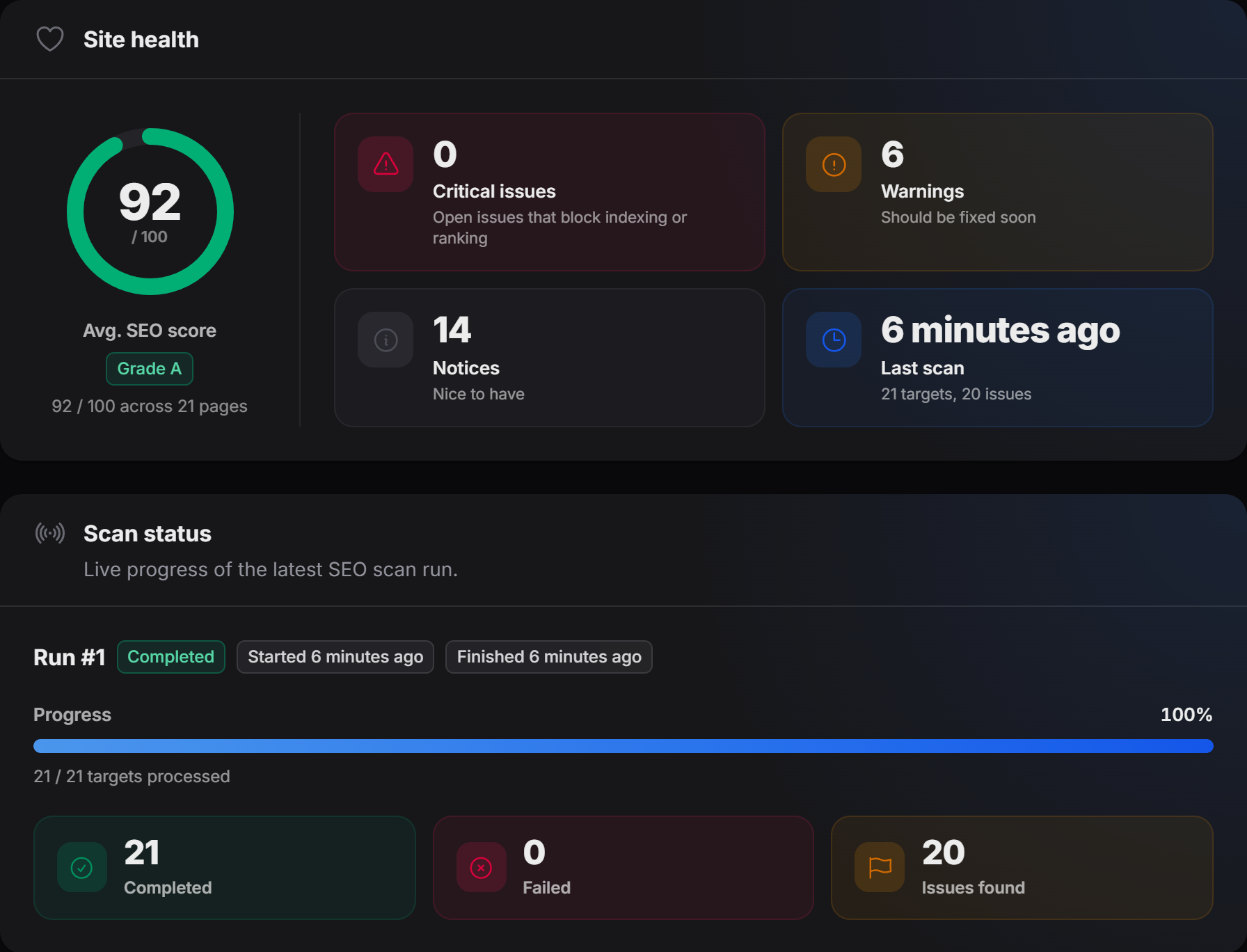
Screenshots are captured at 2× resolution. Open one to inspect it at full size.
Inspect one issue
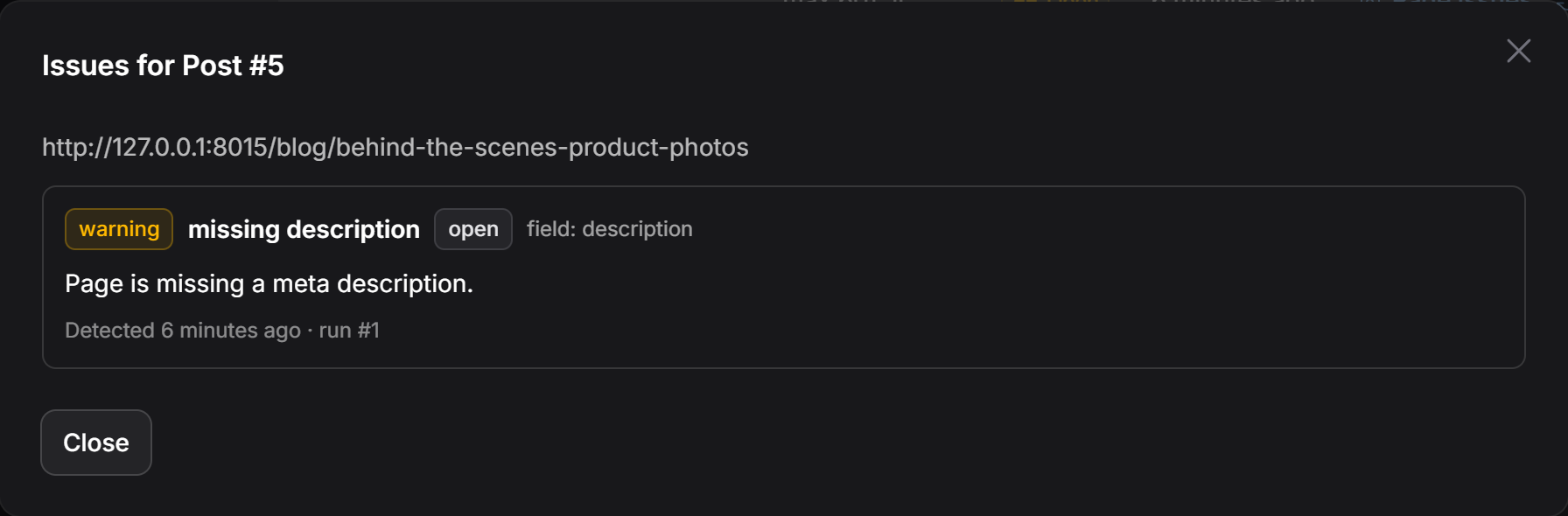
In SEO Dashboard, open Page issues beside the affected row. For “Behind the Scenes: Our Product Photography,” the finding identifies the missing description, the page URL and the scan that detected it.
Save the description
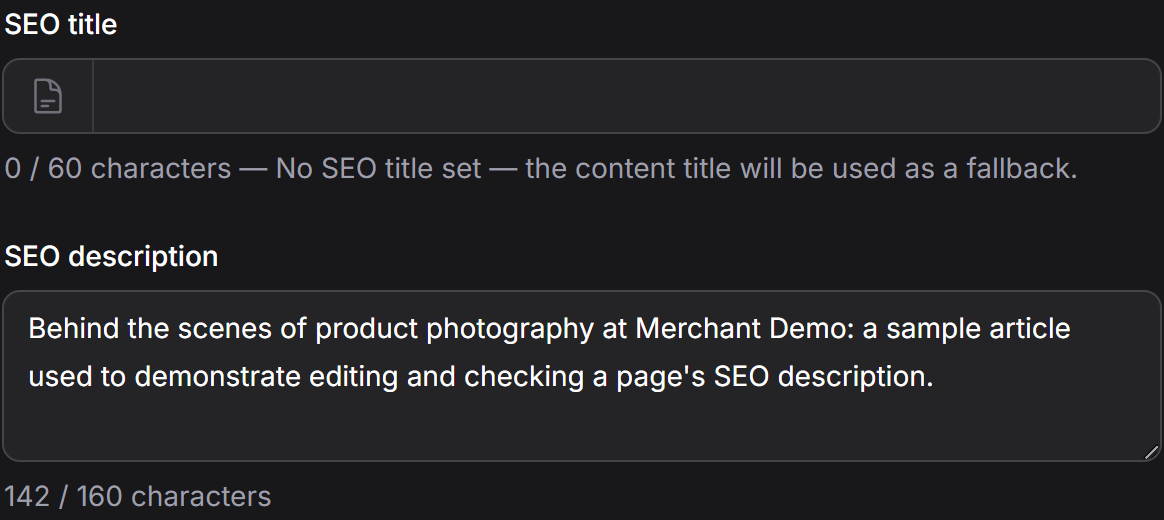
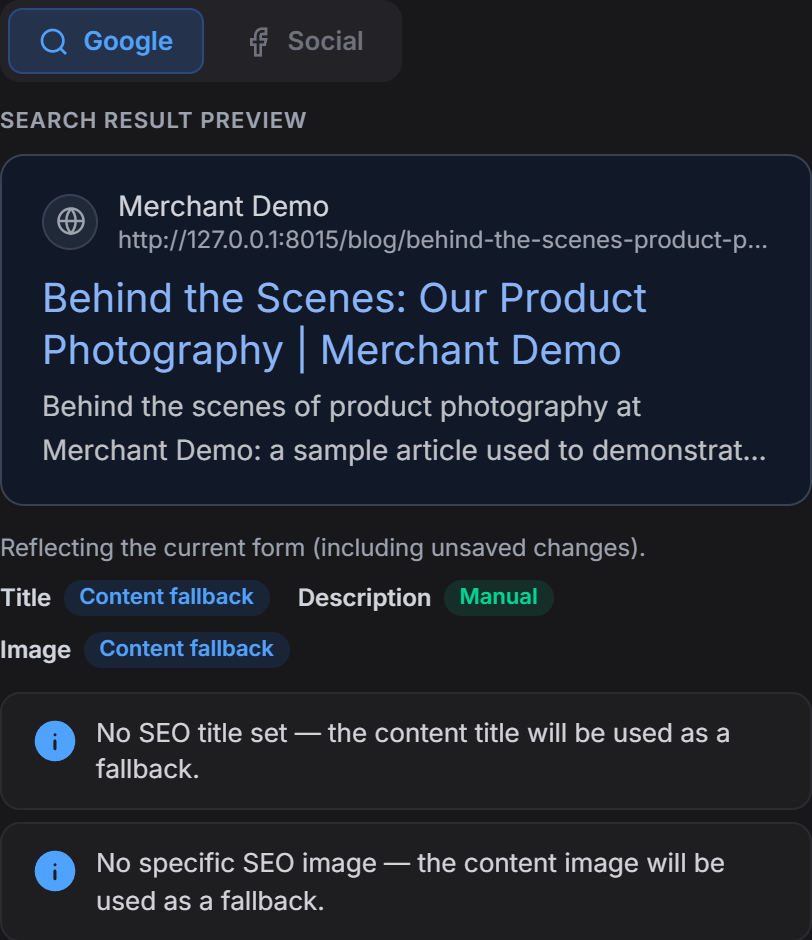
Open the article in Posts, fill in SEO description, and save. The free Filament editor shows the entered text in its search preview and identifies its source as Manual. In this example, the description is 142 characters; the title still comes from the article.
Saving a field and verifying the fix are separate steps. The scan score updates after the next scan. Without Filament, save the same value through your model's saveSEO() method.
Rescan and check what changed
Run the same command again:
php artisan seo-pro:scan --syncThe dashboard now identifies this exact issue as Fixed. The other 19 issues remain open.
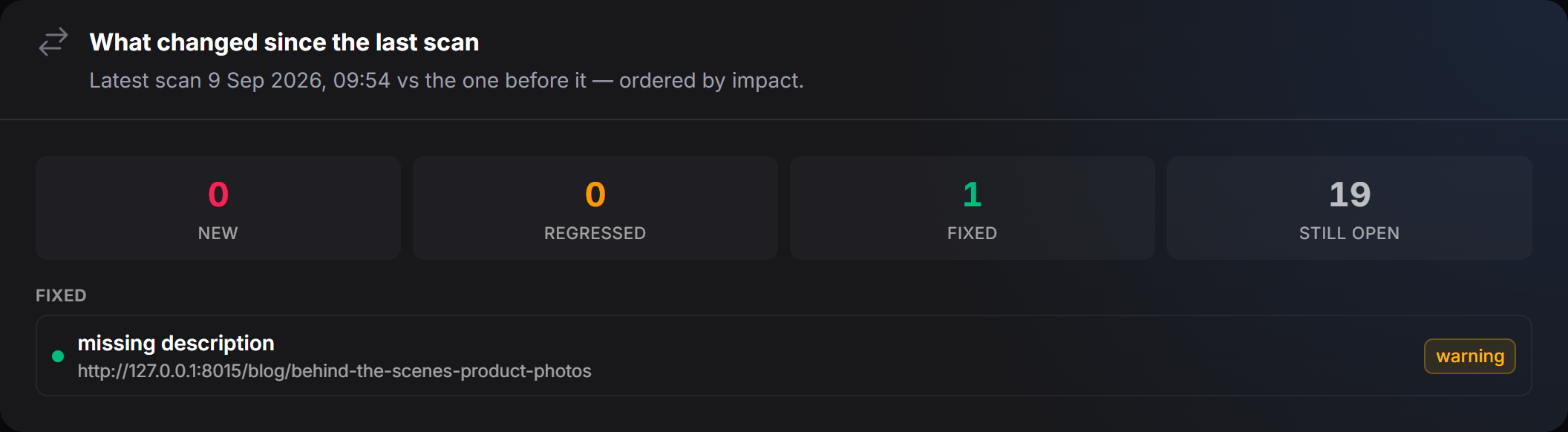
| Check | Before | After |
|---|---|---|
| Completed targets | 21 | 21 |
| Open issues | 20 | 19 |
| Warnings | 6 | 5 |
| Notices | 14 | 14 |
| Average technical SEO score | 92 | 93 |
The score reflects Rankbeam's technical checks. It does not measure traffic, search position or inclusion in AI answers. A passing description check also does not guarantee that a search engine will display that description.
Generate the report
For this demonstration, we generated a baseline report before editing the article, then a second report after the rescan:
# After the first scan, before making changes:
php artisan seo-pro:report --output=storage/app/seo-reports/baseline.pdf

# After saving the fix and rescanning:
php artisan seo-pro:report --output=storage/app/seo-reports/after-fix.pdf
The second PDF shows one fixed, zero new, and 19 open issues. Its trend contains only the two scans above. Search Console and AI-bot logging were disabled, so those sections say that data is unavailable.
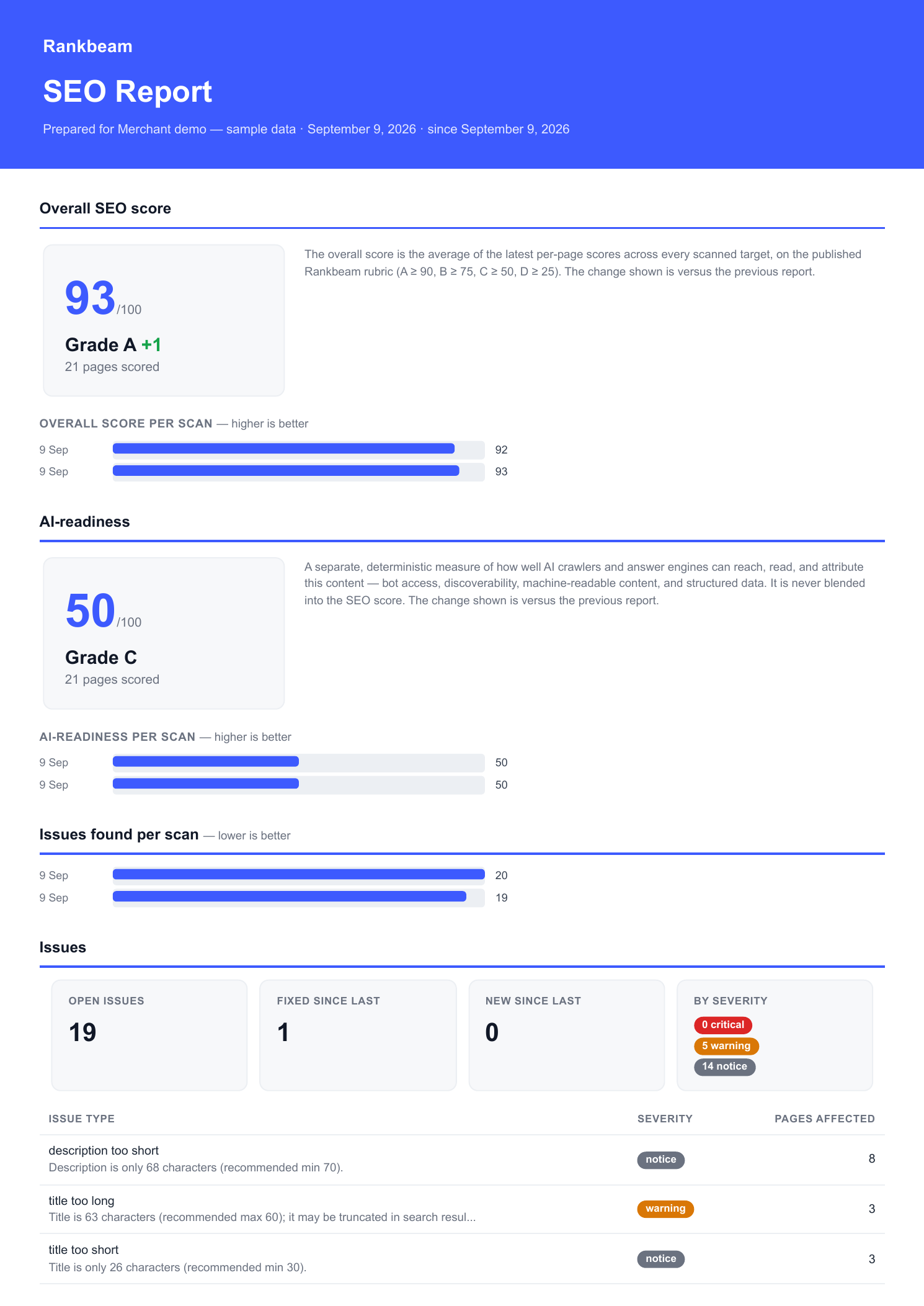
The first report establishes the comparison baseline. If you generate only one report after fixing a page, it cannot show a change against an earlier report. Use --no-store for a preview that should not advance that baseline.
The original export used the Browsershot renderer. See white-label reports for renderer requirements, branding and scheduled delivery.
Run it on your own app
Start with Installing Pro, then scan a page whose output you can check. Pro also runs without Filament. To try the free metadata renderer first, use the Docker demo.